
How to Compress a PDF Under 200KB for Visa, Job & Government Portals
Visa application systems, embassy appointment portals, online job application forms, and court e-filing registries all cap supporting-document uploads at a hard byte limit — commonly 200KB, sometimes 300KB, occasionally as little as 20KB. Here is how to shrink a large scanned multi-page certificate, bank statement, or passport copy to under 200KB while keeping text, seals, and official stamps legible.
A certificate scanned on a phone camera or a multi-function office printer routinely comes out at 2-5MB per page — the scanner app defaults to a high resolution and full-color mode meant for archival quality, not for a visa or job portal that caps the ENTIRE multi-page PDF at 200KB. That's a 10-to-25x reduction needed on a document where the actual content that matters (a roll number, a seal, a signature, a few paragraphs of printed text) occupies a tiny fraction of the visual information in a full-color, 300+ DPI scan.
Most people try to solve this with a generic "compress PDF" tool that applies one fixed quality setting and hopes for the best, which either falls short of 200KB on a 6-page certificate or crushes the seals and signatures into illegible mush trying to get there. What actually works is downsampling resolution and color depth specifically in the regions that don't carry information (blank margins, uniform paper background) while protecting the regions that do (text, stamps, ink lines) — and doing it per-page across however many pages the certificate has, not as one blunt global setting.
Open Compress PDF to 200KB now
Step by step
4 steps- 1
Start with the 200KB Preset Loaded
Click 'Launch Compress PDF' for the 200KB target already dialed in, or select your multi-page certificate, statement, or passport scan to begin.
Open Compress PDF to 200KB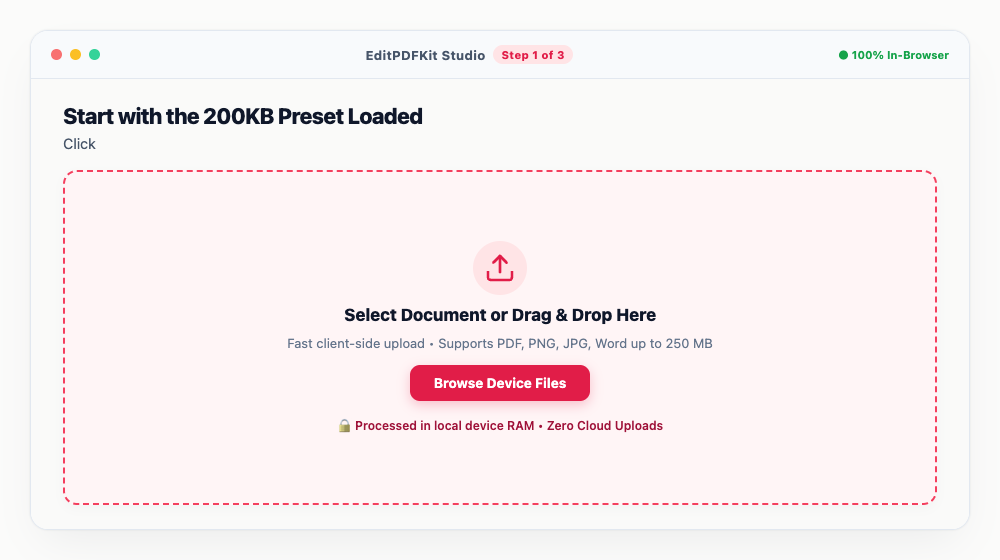
Merge every page of the certificate — front and back included — into one PDF before you start compressing, not after.
- 2
Enter 180 KB as Your Target
Switch to Target Size mode and type 180 KB, leaving a 20KB cushion under the portal's strict 200KB ceiling.
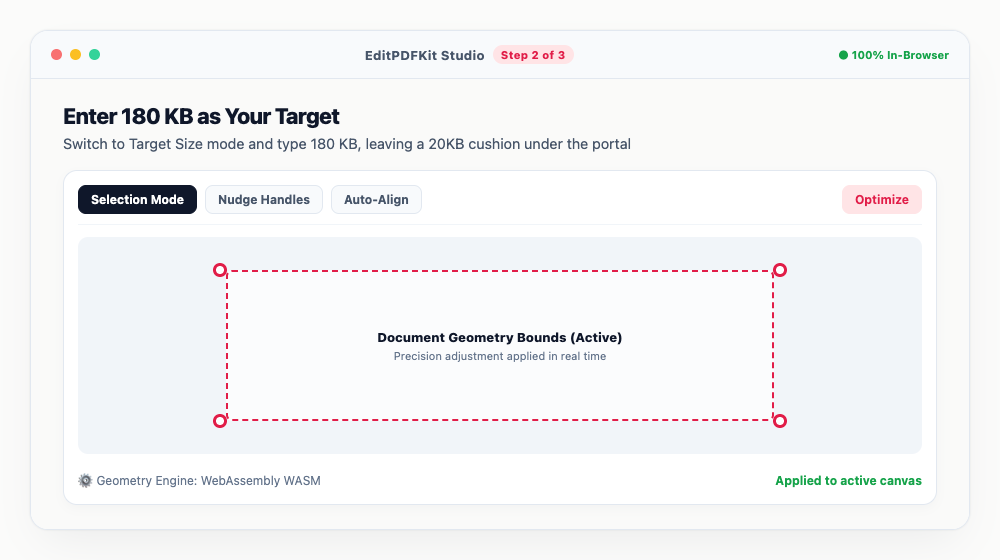
The engine recalibrates image quality and strips redundant font tables automatically to land on that number.
- 3
Check Seals and Text in the Side-by-Side View
Scan the preview for your name, reference number, signatures, and official stamps — all of it should still read clearly at the target size.
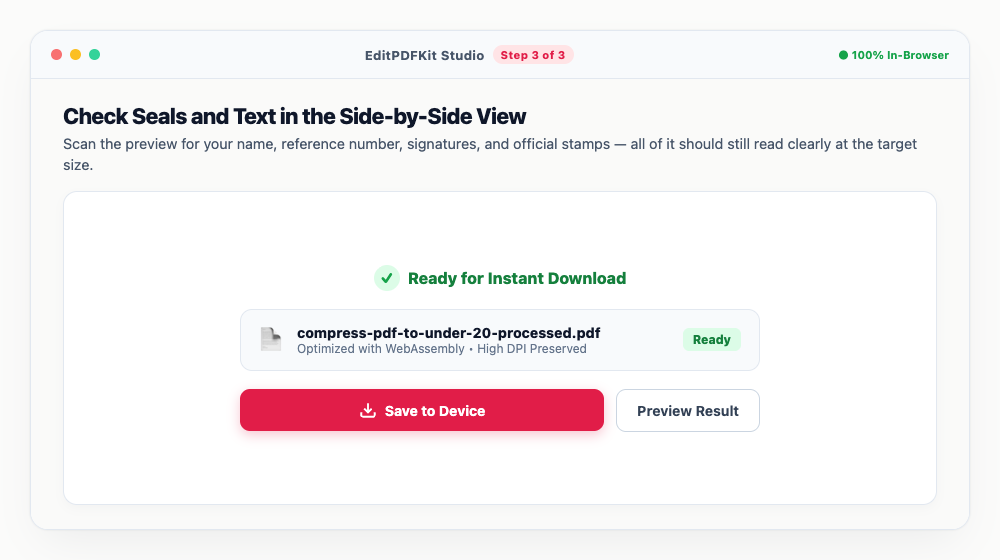
Anything looking soft? Drop back to 'Balanced' mode, or confirm your original scan started at 150 DPI or higher.
- 4
Download the Compressed Certificate
'Download Compressed PDF' hands you the finished file with its exact KB size shown, ready for upload to any application portal.
Upload validators commonly check for a lowercase '.pdf' extension and a standard PDF 1.4-1.7 header — this output satisfies both.
Why use EditPDFKit for this
- Target File Size Slider: Enter 180KB to safely guarantee your PDF is well under the 200KB threshold
- High-DPI Downsampling: Downsamples scanned images to 150 DPI while keeping text completely crisp
- Removes Bloat: Strips unnecessary metadata, embedded thumbnails, and orphan objects
- Client-Side Privacy: Confidential academic transcripts and identity proofs never leave your browser
What Is Compressing a PDF Under 200KB?
Compressing a PDF under 200KB means shrinking a scanned, multi-page certificate document down to a strict byte ceiling while keeping its text, seals, and signatures legible enough to pass manual verification. A certificate scanned on a phone or office printer routinely comes out at 2-5MB per page — the scanner defaults to archival-quality resolution, not a size a government portal will accept — meaning a 10-to-25x reduction is often needed on a document where the actual information (a roll number, a seal, a few paragraphs) occupies a small fraction of the full-color scan's visual data.
A generic one-setting compressor either falls short of the target on a multi-page file or crushes seals and signatures into illegible mush trying to get there; a proper solver treats it as a target-size problem across every page, not one blunt global quality slider.
Real-World Scenarios
Visa applicants hit this first and hardest: a single application can require a passport bio page, bank statements covering several months, an employment letter, a travel itinerary, and an invitation letter — each scanned, each individually capped, and each rejected outright if it lands a few kilobytes over. A job applicant uploading a degree certificate or experience letter to a recruitment portal faces the same validator, usually alongside several other documents sharing one limit.
Students submitting degree certificates to university admission portals and anyone e-filing an affidavit or exhibit with a court registry face an identical constraint: a multi-page scan that has to shrink dramatically while the stamps and signatures that make it an official document stay legible to the human being who reviews it on the other end.
What the Common Visa and Job Portal Limits Look Like
Upload rules differ by country, consulate, and document type, and they change — so the portal's own instructions are always the authority. That said, the shape of the limits is remarkably consistent, and knowing it tells you what to aim for before you start.
Supporting documents (bank statements, employment letters, invitation letters, degree and experience certificates) are usually capped somewhere in the 200KB–2MB range per file, with 200KB and 300KB the two ceilings you will meet most often. Passport and identity scans tend to sit at the stricter end of that band. Photographs are capped separately and far lower — typically tens of kilobytes, with fixed pixel dimensions to match. Many systems also enforce a total cap across the whole application, so trimming every document well under its individual limit matters even when each one would pass on its own.
Two practical rules follow. First, target roughly 10% under the stated ceiling — 180KB for a 200KB cap — because some validators measure the encoded upload rather than the file on disk. Second, merge multi-page documents into one PDF before compressing, not after: portals normally expect one file per document, and compressing a merged file lets the solver spend its byte budget where the detail actually is.
What Makes This Possible
The Target File Size slider lets you enter 180KB to safely guarantee the result lands under a 200KB ceiling, rather than guessing at a quality percentage. High-DPI downsampling reduces scanned images to around 150 DPI while keeping text completely crisp, since text and fine stamp detail are exactly where a generic compressor's artifacts show up first.
The tool also strips bloat — unnecessary metadata, embedded thumbnails, and orphan objects that scanner apps often leave behind — recovering file size without touching visual quality at all. And because compression runs entirely client-side, confidential academic transcripts and identity proofs never leave your browser just to get resized.
What Makes This So Straightforward
The process is four steps: start with the 200KB preset loaded, enter 180KB as a safe buffer target, check seals and text in the side-by-side preview, and download. There's no need to understand DPI or compression algorithms — the target-size solver handles the technical tradeoffs automatically once you've stated the number you need.
If a scanned certificate is currently a JPG image rather than a PDF, running it through JPG to PDF first and then Compress PDF handles that in two quick steps, with no software installation required for either.
Frequently asked questions
Why do visa and job portals cap PDF uploads at 200KB or 300KB?
Visa systems, embassy appointment portals, and recruitment sites process huge volumes of concurrent applications, and most of them store every uploaded document indefinitely. A hard per-file ceiling keeps storage predictable and keeps the submission step fast for applicants on slow or mobile connections — which is why the validator rejects an oversized file outright instead of resizing it for you.
What file size do the common visa portals actually allow?
Limits vary by country and by document type, so always read the portal's own upload note before you compress. In practice most visa and embassy systems land in a narrow band: a few hundred KB per supporting document (200KB and 300KB are the most common ceilings), with photo uploads capped far lower and total-application caps of a few megabytes. Targeting 180KB clears almost every supporting-document limit you are likely to meet, and leaves headroom if the portal measures size slightly differently than your operating system does.
Will compressing a scanned academic transcript make numbers unreadable?
No. EditPDFKit uses smart bilinear downsampling that preserves high-contrast text and stamps while compressing the background and unused white margins.
What if my certificate is currently a JPG image?
First use our 'JPG to PDF' tool to convert your image into a standardized PDF, then pass it through Compress PDF to bring it under 200KB.
Are my sensitive identity certificates safe?
Yes, 100%. EditPDFKit executes all compression routines directly inside your web browser via WebAssembly. Your documents are never uploaded to any remote server.
Do I need to install any software to compress a PDF under 200KB for a visa or job portal?
No download is needed. The whole process — compressing a PDF under 200KB for a visa, job, or government portal — runs directly inside your web browser using our compress pdf tool, powered by WebAssembly. No browser extension or account is needed — just open the tool and go.
Is this approach suitable for visa and job applications?
Yes — this is exactly the case it was built for: visa applicants, job applicants, students, and anyone uploading certificates, bank statements, degrees, or affidavits to a portal with a strict size cap. The file never leaves your device, and this works the same on desktop, Android, and iOS.
A document that gets rejected for being 220KB instead of 200KB costs you a re-upload cycle and, on a visa appointment slot or a closing job application, sometimes the window entirely. Compressing with a target-size solver built for scanned documents — rather than a generic one-size-fits-all compressor — gets you comfortably under the ceiling on the first try, with the seal and signature still legible.
Pairs well with
Bates Numbering
Burn a prefixed, zero-padded number like DOC-00001 into a corner of every page, one increment per page.
Compare Two PDFs
Extract the text from an original and a revised PDF and read the line-by-line differences in one highlighted stream.
Compress PDF to 100KB
Reduce PDF file sizes under 100KB for government portals, exams, and job applications.
Related posts
Exam & Govt Portals
How to Compress a Passport Photo and Signature for Online Application Portals
Email PDF Compressor
How to Compress Large PDF Documents Under 25MB for Email Attachments (Gmail & Outlook)
PDF Optimization
How to Compress a PDF to Under 1MB Online Free (Without Blurry Text)
PDF Management
How to Merge Multiple PDF Files into One Document Online
Document Combining
How to Combine Academic Transcripts, Degree Certificates and IDs into One PDF